How to use Jamiya: the full guide with pictures
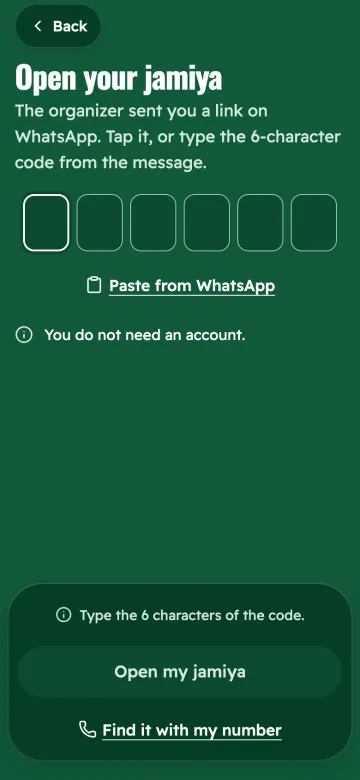
This guide is for everyone. Start with the part that fits you: if the organizer sent you a link, read part 1. If you will start a jamiya, read part 2.
Before you start
- You do not need to install anything. Every Jamiya link opens in your phone browser (Safari or Chrome) and does everything.
- On Android you can also get the app from Google Play.
- On iPhone the app is in review at Apple. Until it is in the App Store, open your link in Safari. If you see the "Get Jamiya" page, tap "Open in the browser".
- To change the language, tap "العربية" or "English" at the top of the page.
- Jamiya keeps records only. It never holds or moves money. You pay each other as you agree.
Part 1: the organizer sent you a link
The organizer is the person who runs the jamiya. They send each member their own link on WhatsApp, like jamiya.om/K7M4QX. This link is yours alone, so do not pass it on.
1. Open your link
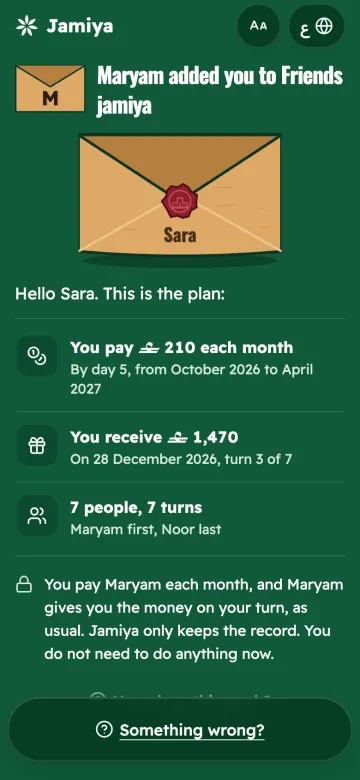
Tap the link. Your page opens with your name: what you pay each month, when your turn is, and what you receive on your turn. You need no account and no password.
2. Accept the plan
Read the amounts and dates. If they are right, tap "I accept this plan". If something is wrong, tap "I don't accept" and write why. Only the organizer sees your answer. You can change it later on the same page.
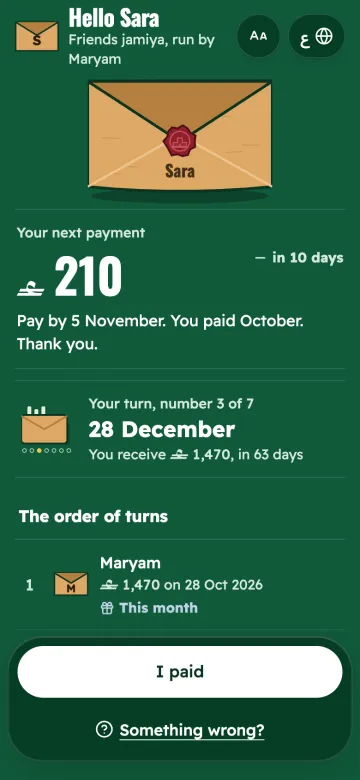
After you accept, your turn card shows the date and the amount, with your next payment below it. Tap "Add my dates to calendar" to get reminders from your phone calendar.
3. Tell the organizer you paid
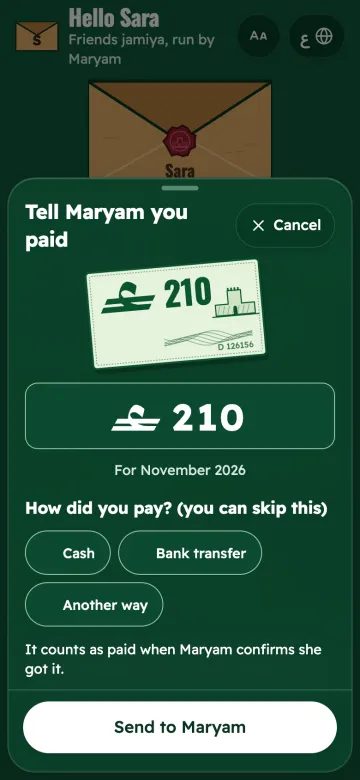
After you pay the organizer (cash or bank transfer), open your link and tap "Tell [organizer] you paid". Enter the amount and the date, then tap "I paid". Your payment shows as waiting until the organizer checks that the money arrived.
4. The family link
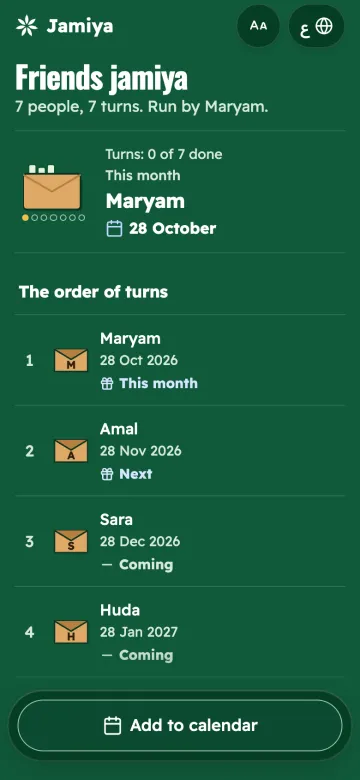
The organizer may also send one link for the whole family, for example in a WhatsApp group. It shows the order of turns and the dates, read only. It never shows anyone's payments, and never shows who is late.
Lost your link?
Ask the organizer to send it again. Or open jamiya.om, tap "Join a jamiya", then "I have a link or code", and paste the link or type the code. If the organizer saved your phone number, tap "No link? Find it by your phone number" and you get a code on WhatsApp.
Part 2: you will start a jamiya (the organizer)
1. Start with your name
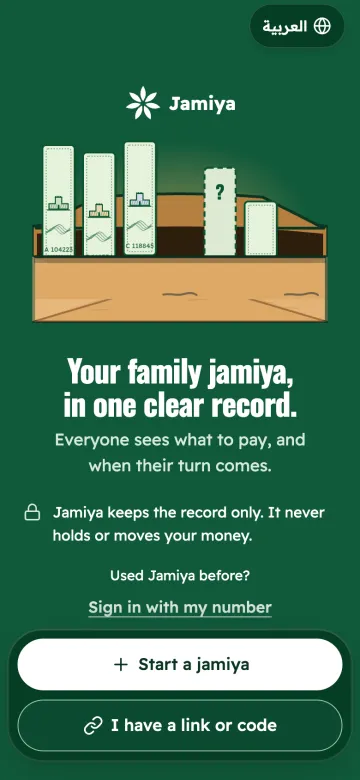
Open jamiya.om and tap "Start a jamiya". Type your name as the family knows you, then tap "Continue". You need no email and no password.
2. Name the jamiya and choose who uses it
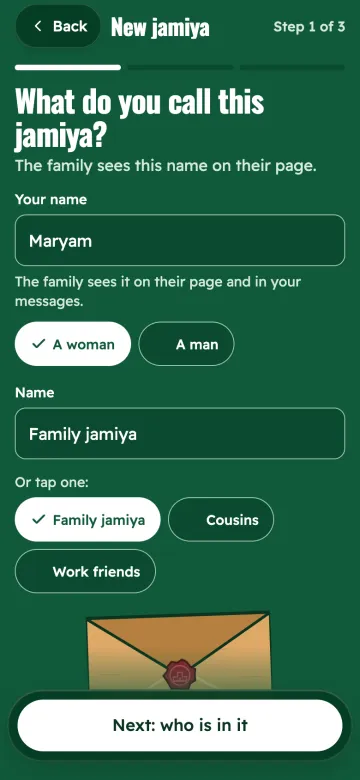
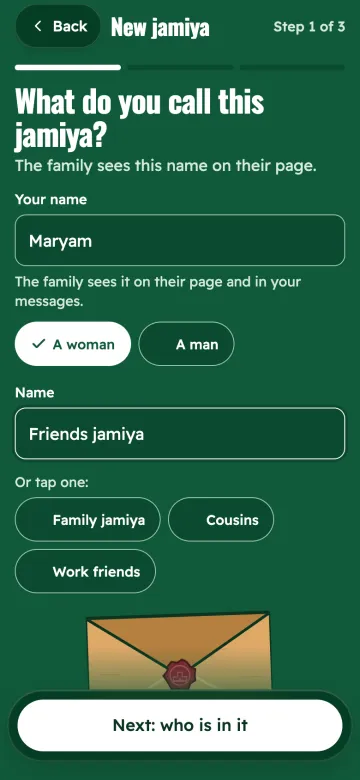
Type the "Jamiya name", for example "Family jamiya". Then choose:
- "Shared with the family": each member opens their own page and accepts the plan. This is the usual choice.
- "Private tracker": only you keep the records. You can invite members later.
Then tap "Next".
3. Add the members and their amounts
Type each member's name and what they pay each month. Tap "Add member" for a new line. If the names are in a WhatsApp message, tap "Paste a list" and paste the message as it is, like "Fatma 300" on each line. If everyone pays the same, type it once in "Everyone pays".
The bottom of the screen shows the number of members, the monthly total and the total value. Add yourself as a member if you take part.
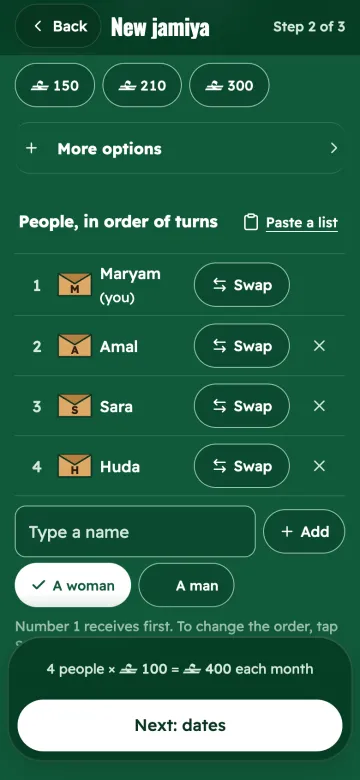
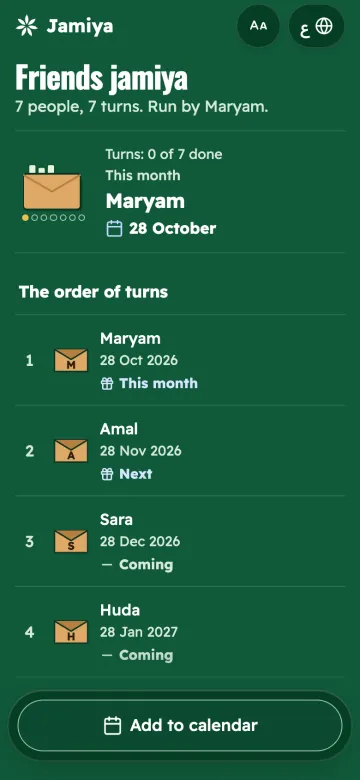
4. Dates and turns
The app suggests the dates: the day money is due (for example the 25th), the payout day (for example the 28th), and how often payouts happen. Tap "Change the timing" to change them. Below it, the "Schedule preview" shows who receives, when and how much. "Balanced" means every turn is fully covered.
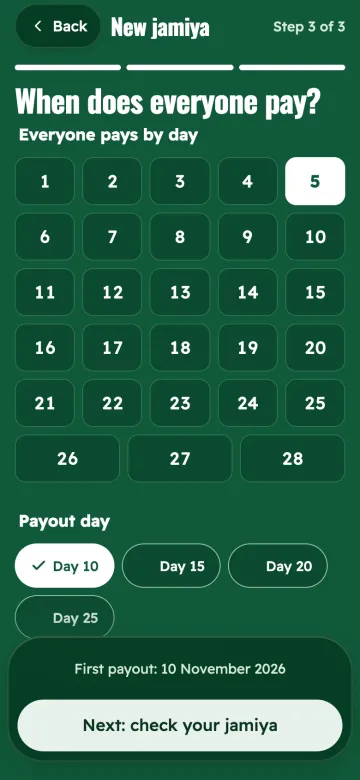
5. Review, then create the jamiya
The review shows everything: the start, the length and the monthly amount. Tap "Edit" beside a line to change it. When all is right, tap "Create the jamiya". Plan 1 goes to the members for them to accept.
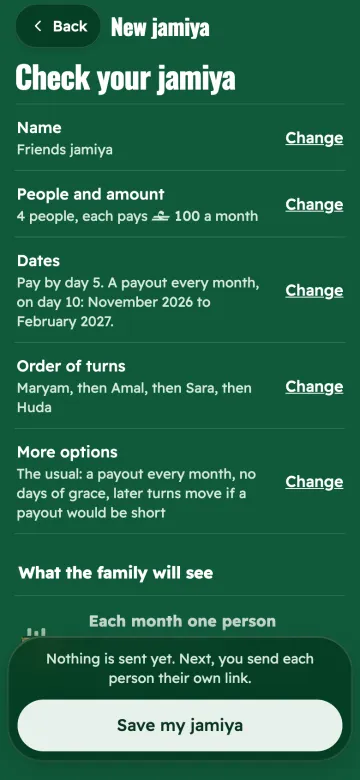
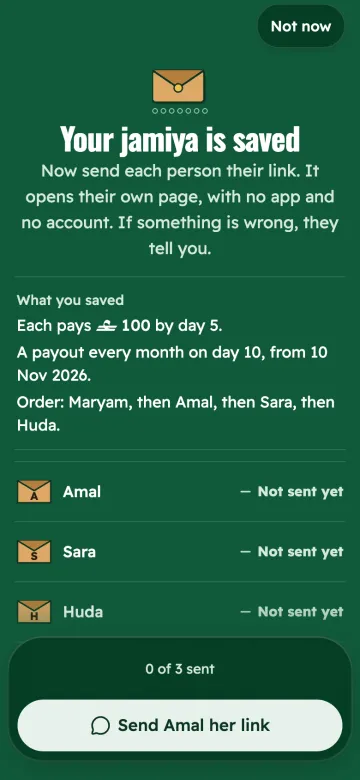
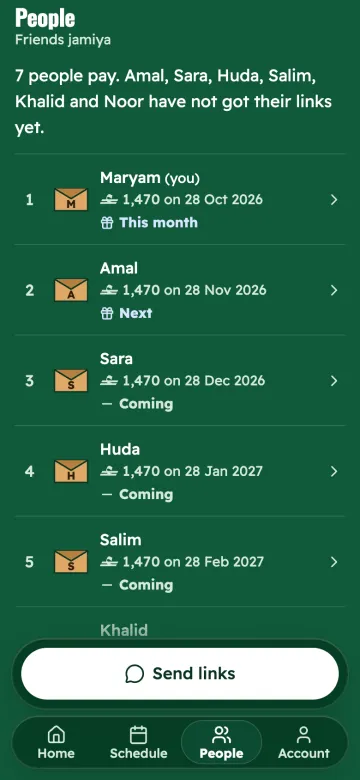
6. Send the links
After you create it, you see "Your jamiya is ready". Tap "Send each member their link" to send each member their own link on WhatsApp, one by one. You can also do it later in the "Members" tab, under "Invite members to follow".
For one link for the whole family, tap "One link for the whole family", or open "Share" and tap "Create a family link". That link shows the schedule only, never payments or who is late.
7. Record every payment
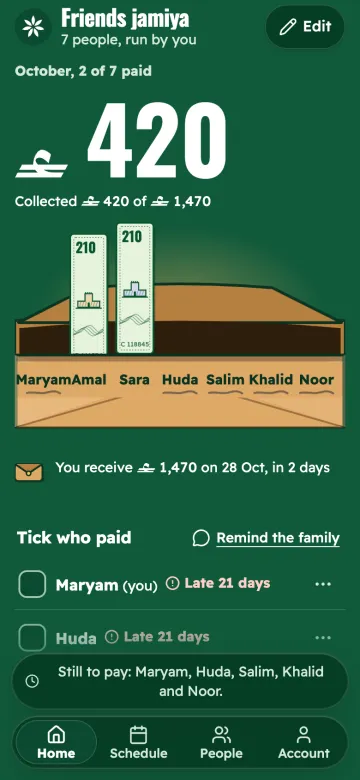
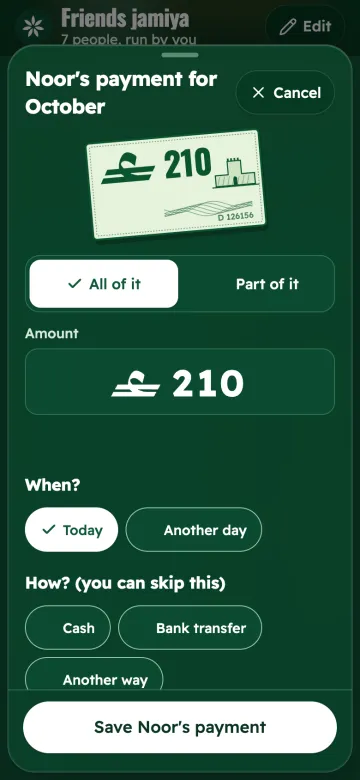
When a member pays you, tap "Record a contribution". Choose the member, and the amount they owe is filled in. Change the amount, date or method if needed, then tap the record button.
If a member told you they paid through their link, the "Overview" tab shows a line like "1 payment report to confirm". Open it, check the money really arrived, then confirm it. Recorded a wrong amount? Tap "Reverse this record" right after recording, or open the member's page and tap "…" beside the payment to correct it. The history keeps a line that shows the correction.
8. Record the payout
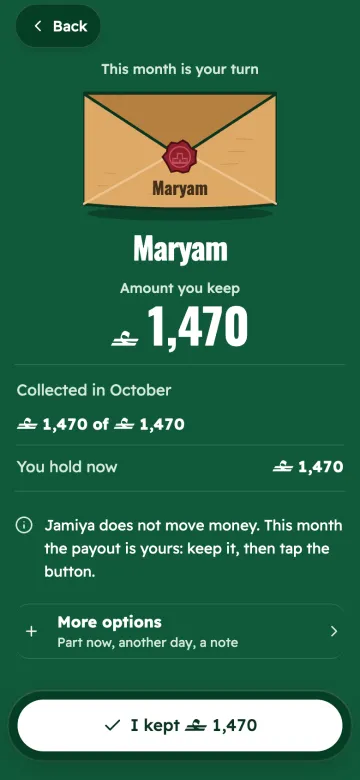
On payout day, after you hand the money to the person whose turn it is, tap "Record payout". The next person is shown first. Choose them, check the amount, then record it.
9. Change the order or the dates
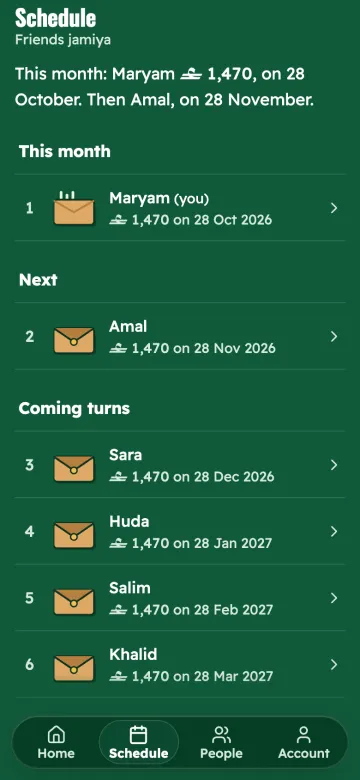
The "Schedule" tab has "Change order", "Duration and payout dates", and "Bring someone forward" for a member who needs the money early. Any change to the plan becomes a new plan with a new number, and the members are asked to accept it again.
10. Keep your account safe
Your account lives on this device, and it has a private link that opens it on any device. So it is never lost: open "Profile", tap "Save my account", choose a username and a password, and keep your recovery codes. In "Your phone number" you can add your number to find your jamiyas with it. Your private link is under "Sign-in, devices and private link".
Fixes for common problems
- On iPhone the link opened TestFlight, or the app did not open: open the link in Safari and choose "Open in the browser". Everything works in the browser.
- I cannot find my link: ask the organizer, or find it with your phone number from "Join a jamiya".
- I said I paid, but it does not count yet: that is normal. A payment counts once the organizer confirms it.
- An amount or date in the plan is wrong: tap "I don't accept" and write why. The organizer fixes the plan and sends it again.
- I forgot my password: tap "Forgot password?" on the sign-in screen and use one of your recovery codes.
- I want to delete my account: open "Profile", then "Delete account" at the bottom.
Still stuck? Email support@jamiya.om. More answers are in the FAQ.
More guides
- What is a jamiya?A jamiya, also called a committee or BC, is interest-free group saving: every member pays a fixed amount each month and one member receives the total in turn.
- How to organize a family jamiyaAn organizer guide for a monthly jamiya or committee: choose members and the amount, set payment and payout days, handle late payments, and keep records.
- Turn order and drawing lotsHow to set the turn order of a monthly savings circle fairly: when to draw lots, when to agree the order, and how to handle shared turns and swaps.
- Is a monthly jamiya halal?The Islamic ruling on the monthly jamiya (savings circle): the Council of Senior Scholars decision, Ibn Baz, Ibn Uthaymeen, the opposing view and the condition.
- Workplace jamiyaA guide to the office jamiya or committee: choose the organizer, set payment after payday, keep late payments private, and handle colleagues who move job.
- Jamiya agreement templateA written monthly jamiya (committee) agreement you can copy: amount, days and order, late payments, leaving early and changes to the plan, with a note on each.